Control your gate.
Smoother and smarter.
Replaces the app that came with your intercom. See who is at the gate, talk to them, let them in.

Works with Dahua video intercoms, through a free agent you run at home. How to set it up
Free · No account · Recordings stay at your house
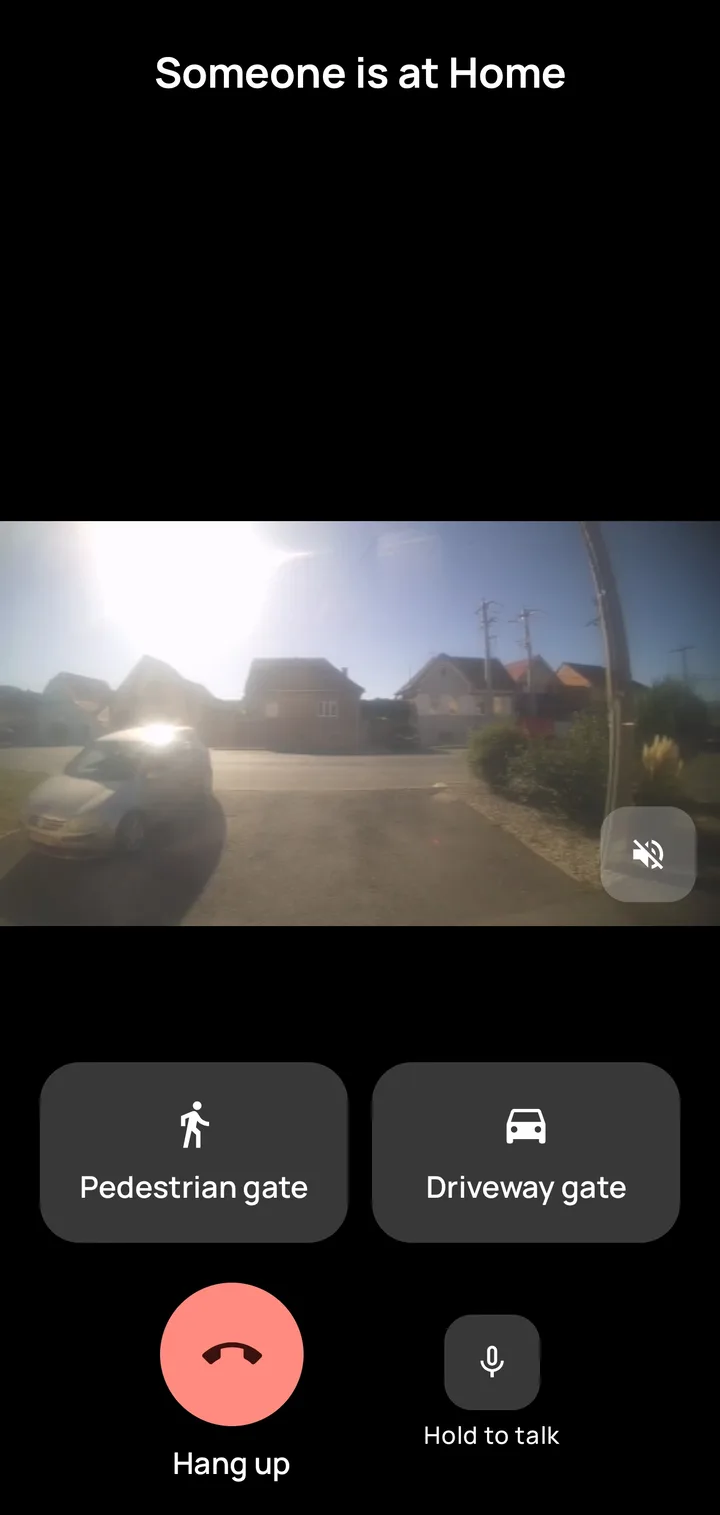
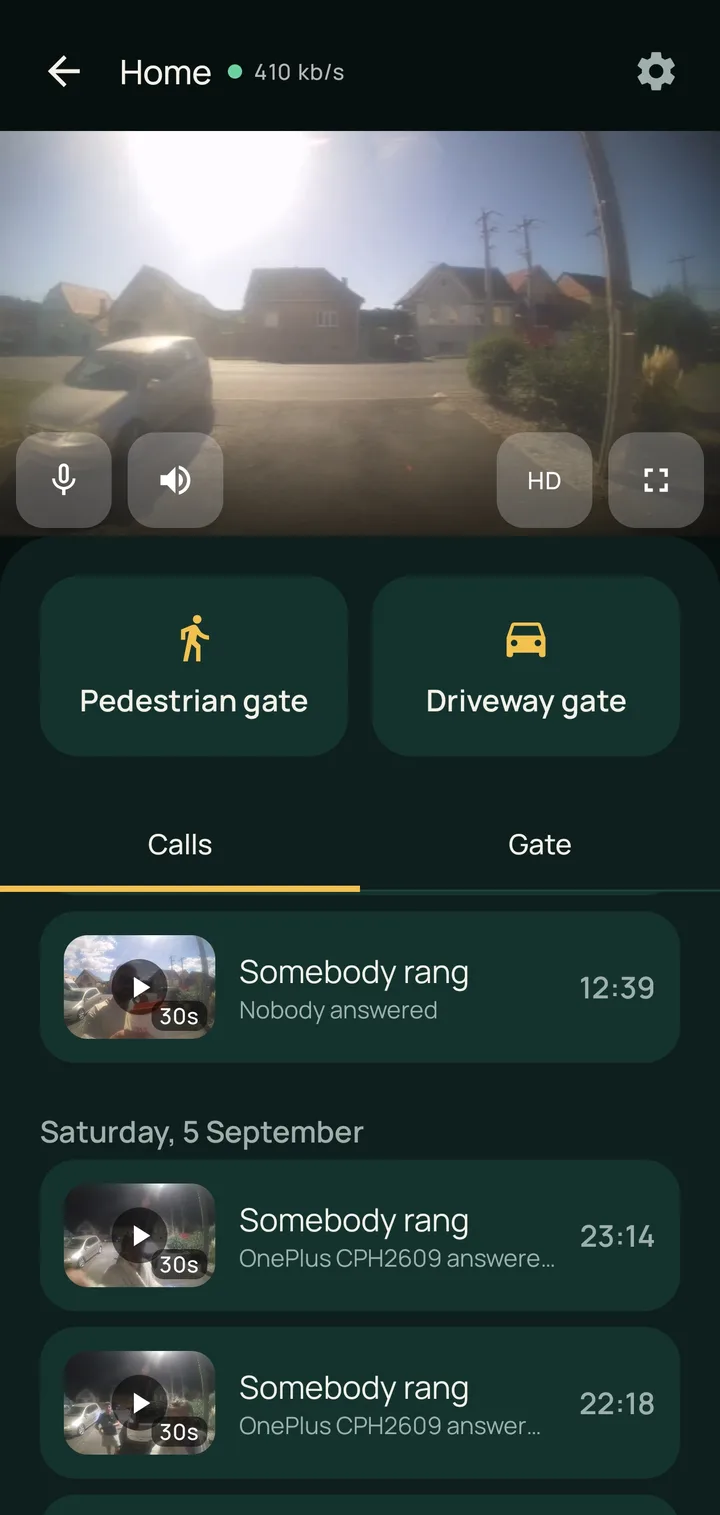
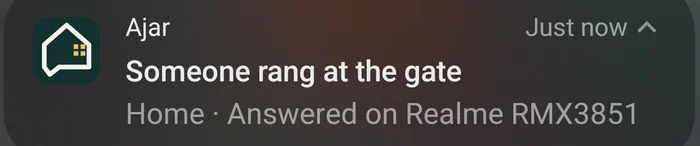
Three ways the old app failed, every day.
ajar was not written to add features to a working thing. It was written because the software that shipped with the intercom kept losing at the only moment that counts, while somebody stood at the gate waiting.
-
It rang, and showed nothing
You answered and got a black rectangle. By the time it decided to show a picture, whoever was there had given up and left, and you still did not know who it had been.
In ajar the call rings with the camera already on the screen, and the notification opens straight onto it.
-
Walking to the gate broke it
Coming home, the phone dropped mobile data and joined the house wifi mid-call, and the app went down with it. The stream died, sometimes the app too, and you finished the conversation through the door.
ajar picks the route itself: straight to the agent on your wifi at home, through the relay when you are out.
-
You could hear, and not be heard
The camera picked one connection and the microphone picked another. The picture worked, so everything looked fine. Every word you said went into a connection nobody had opened.
In ajar the picture and your voice always take the same route. They cannot end up on different connections.
Built for the ten seconds you actually have.
The doorbell goes off while you are doing something else. Every screen is arranged around that: one decision, large, where your thumb already is. This is all of it, from the bell to the gate.
-
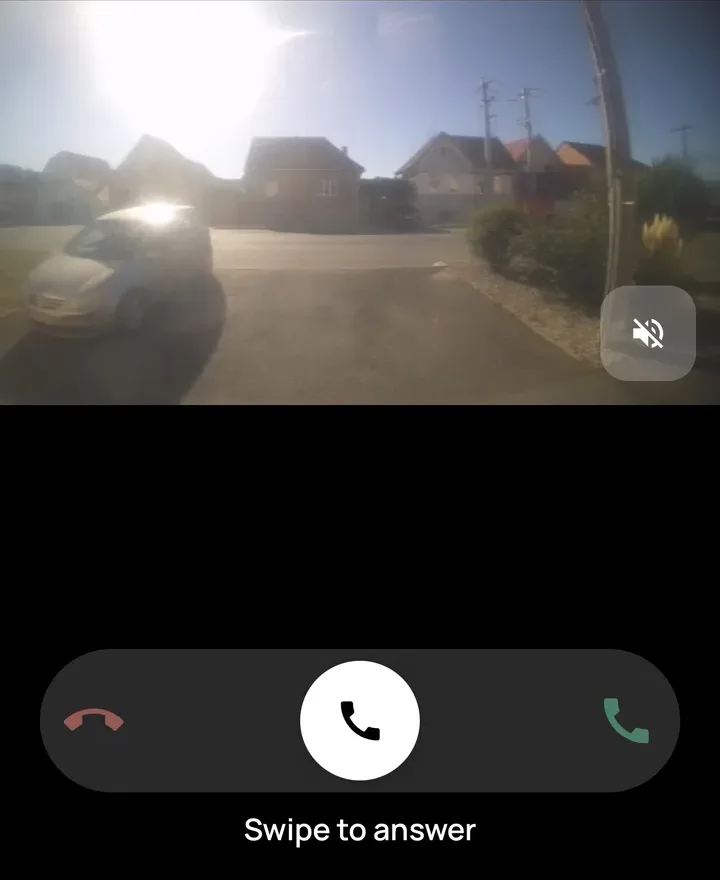
It rings with the picture
A full-screen call, camera first. You know who it is before you decide whether to answer.
-
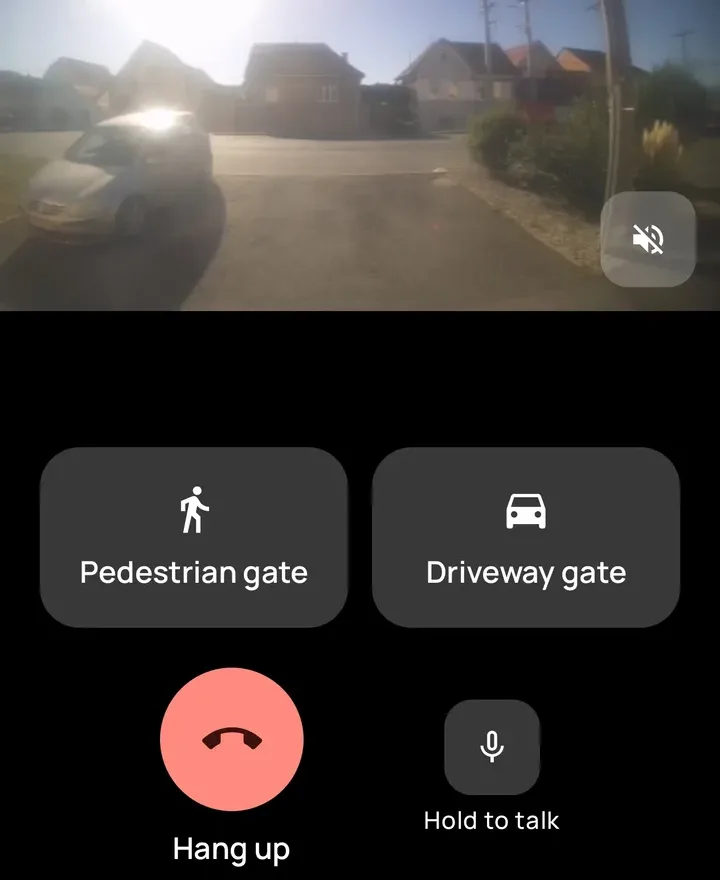
You answer, and talk
Hold to talk. The picture and the talk button always take the same route.
-
Every other phone goes quiet
Answer on one phone and the ringing stops on all of them, with a note of who picked up.
-
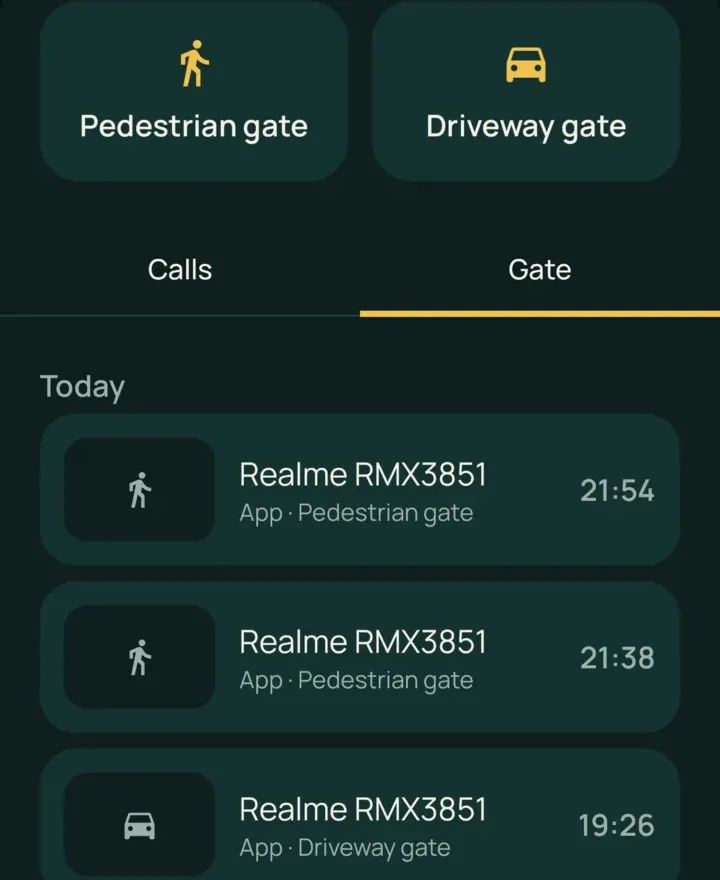
You open the gate
Either gate, one tap. The opening goes on the record: which gate, which phone, what time.
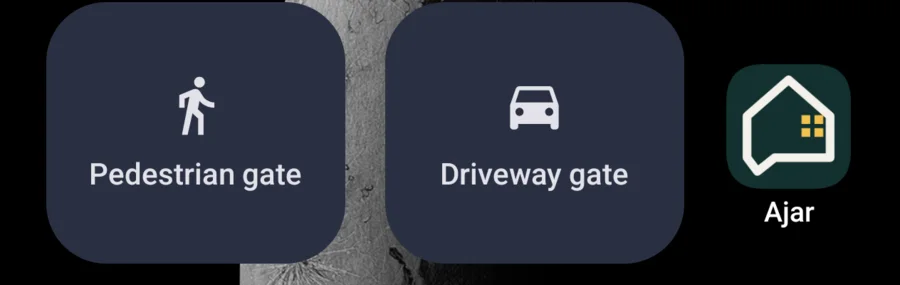
Open the gate without opening anything.
A gate on the home screen, one tile each. Press it with the phone still locked and the gate opens. The tile says Opening, then Opened, and that is the whole interaction. You never open the app or wait for anything to connect.
It is what you use nine times out of ten: the delivery you were expecting, the neighbour you already waved at, coming home with your hands full.
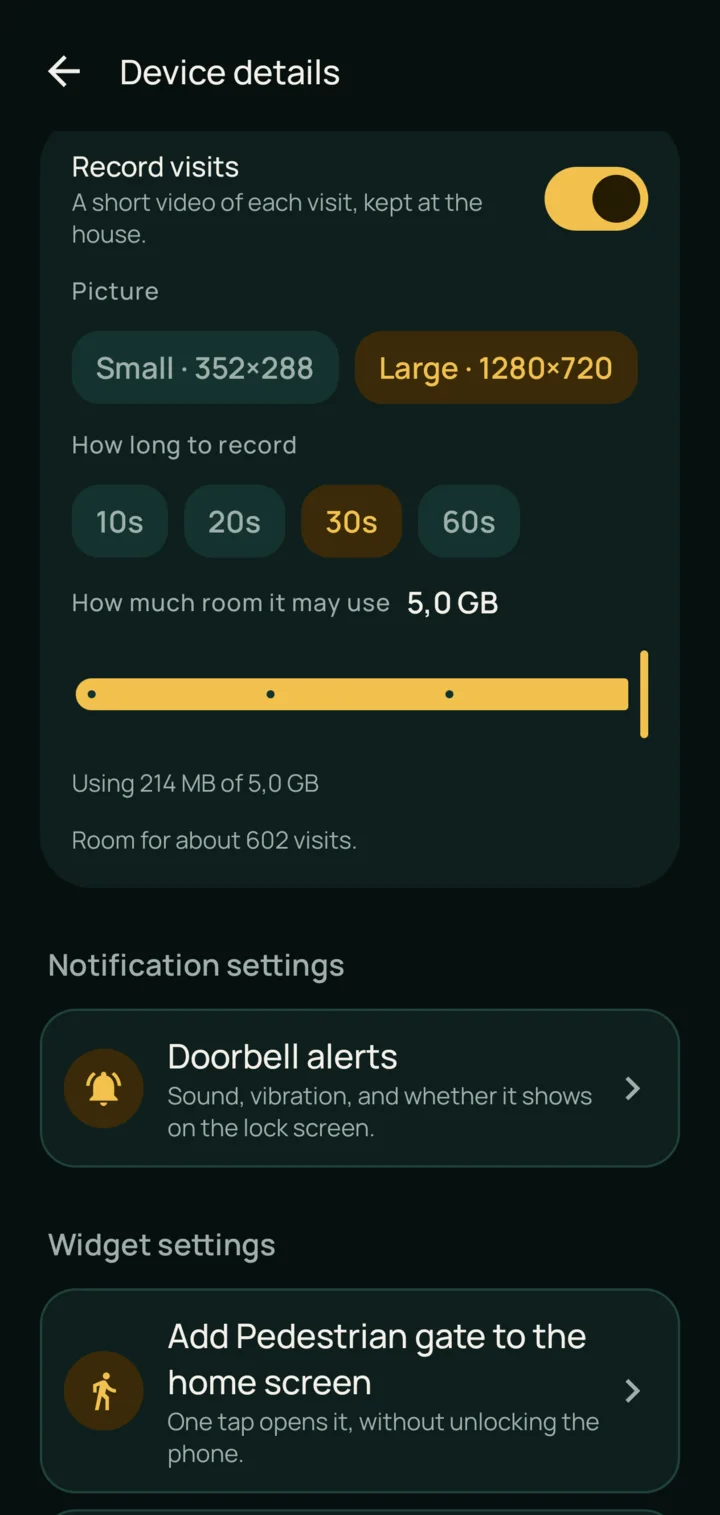
A clip of every visit, kept at the house.
Turn it on and every ring leaves a short video behind. You come back to a doorbell you slept through and watch what happened.
You set the picture size, how many seconds to keep, and how much of the disk it may fill. It writes to the agent in your own house and stops at the ceiling you gave it. Five gigabytes holds about six hundred visits.
Hand out access. Take it back.
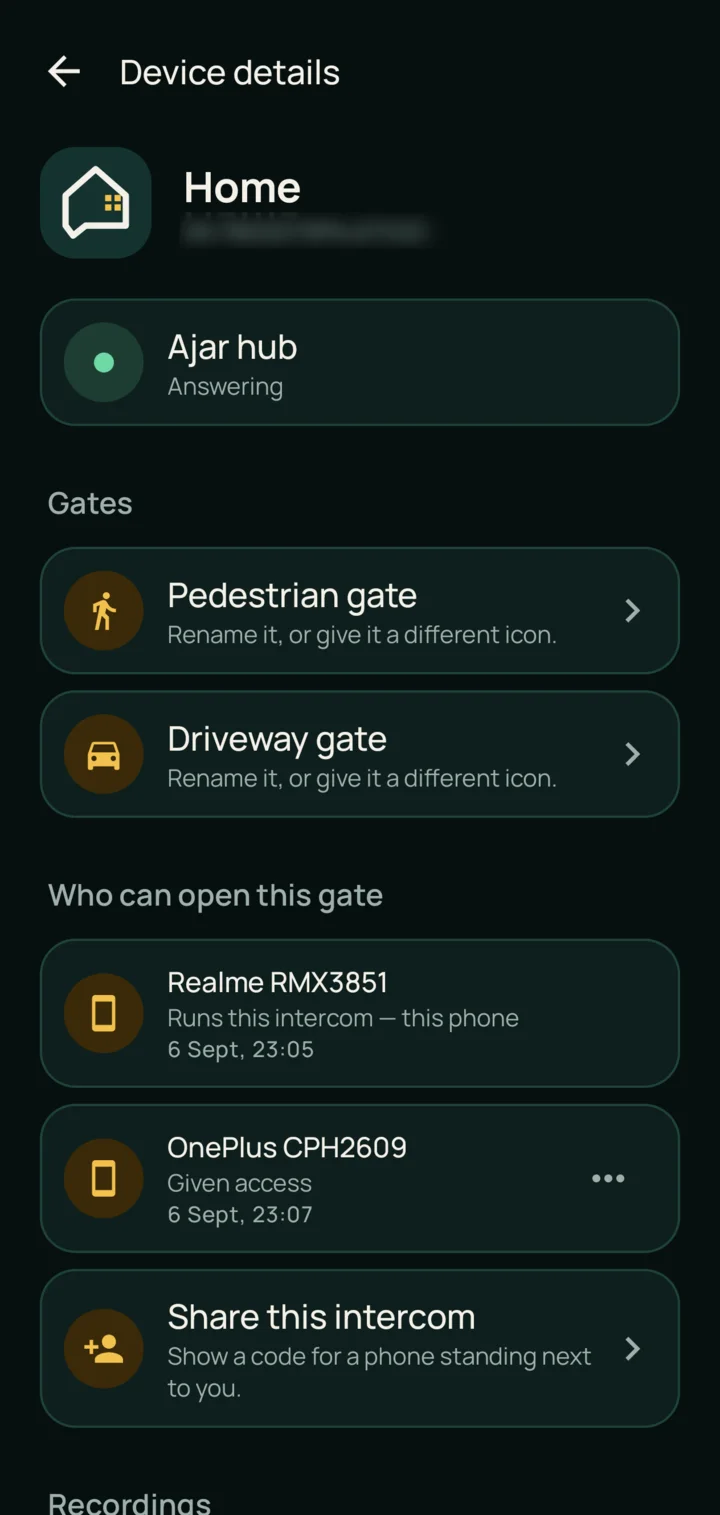
Every phone in the house is listed, with what it is allowed to do and when it was let in. Anyone who runs the intercom can invite another phone by showing it a code that works once and expires in minutes.
The people who live there are equal admins. No single account holds the gate, and nobody has to be awake for somebody else to let a visitor in.
Set up once, from inside the house.
ajar is two pieces: the app on each phone, and a small agent on something at home that stays switched on. The agent is what makes it quick and private. It talks to the intercom over your own network, keeps the recordings, and is the only piece that ever holds the intercom's password. Its code is public, so you can read that part yourself.
-
Put the agent on something that stays on
A Raspberry Pi, a NAS, a Home Assistant box, Docker or a Mac, on the same network as the intercom. If nothing in the house stays on, a Raspberry Pi 3 is plenty. On a Pi it takes about fifteen minutes. Have the intercom's own password ready, the one its web page asks for. There are no ports to open: the agent connects out.
-
Install the app on the house wifi
The first phone finds the agent on its own and becomes the household's first admin. There is nothing to type.
-
Invite the household
Each phone scans a code from a phone that is already in. The code works once and expires in minutes. From then on the gate rings every phone in the house.
No intercom yet?
Install the app and tap Try the demo. It rings a make-believe gate with no hardware and no network, so you can see the whole thing before setting anything up.
Installed it and something is wrong?
Tell us what happened: the make and model of your intercom, which machine the agent runs on, and what the app said. A person reads it, and an intercom we have not met yet is the most useful thing you can send.
contact at codebldr dot com Open an issue on GitHub Things to try first
Your gate, your house, your video.
A camera pointed at your front gate sees your family, your neighbours and everyone who walks past. That footage belongs where it is filmed, so it stays there.
- Recordings are written on the agent at your house and never uploaded.
- Live calls pass through the relay and nothing is written down on the way.
- No email, no password, no profile. There is no account to leak.
- No analytics in the app, no crash reporting, no advertising SDK. Read the policy.
The things people ask before installing it.
- Which intercoms does it work with?
- Dahua video intercoms, through the agent that runs at your house. If you are not sure whether yours is one, send the make and model and we will tell you. An intercom we have not met yet is the most useful thing anybody can send us.
- Do I have to create an account?
- No. There is no email address, no password and no profile. A phone is issued a random token when somebody lets it in, and that token is the whole of its identity.
- Where do the recordings go?
- To the agent in your own house, and nowhere else. Live calls pass through the relay and nothing is written down on the way, so there is no footage of your gate on any server of ours.
- Does it work when I am away from home?
- Yes. At home the app goes straight to the agent on your own wifi, because a data centre on another continent is audible the moment somebody speaks. Away from home it goes through the relay. The app decides, not you.
- Do I need to open ports on my router?
- No. The agent connects out to the relay, so there is no port to forward, no VPN and no public address to set up.
- Can somebody on my wifi open the gate?
- Not by being there. A phone that finds the agent over the wifi arrives as a request: it opens nothing until an admin lets it in, and every admin gets a notification asking. The first phone on a new agent is the only exception, because there is nobody yet to ask.
- What happens if the power or the internet at the house goes down?
- The gate cannot be reached until the agent is running again, and the app says so rather than pretending: the home screen shows Ajar hub offline. The hub is the agent.
- Is there an iOS version?
- Not yet. Android today, and iOS is on its way.
- What does it cost?
- Nothing. There is no subscription, no paid tier and no advertising in it.
- Can I take somebody's access away?
- Anyone who runs the intercom can remove a phone from the household list, and it loses everything at once: no ringing, no camera, and the gate stops answering it.
Next time it rings, you will know who it is before you answer.
Free, on Android. iOS is on its way.